Case study · Personal project · since 2020
Mogi
Instructions for my home system, with the design decisions behind them.
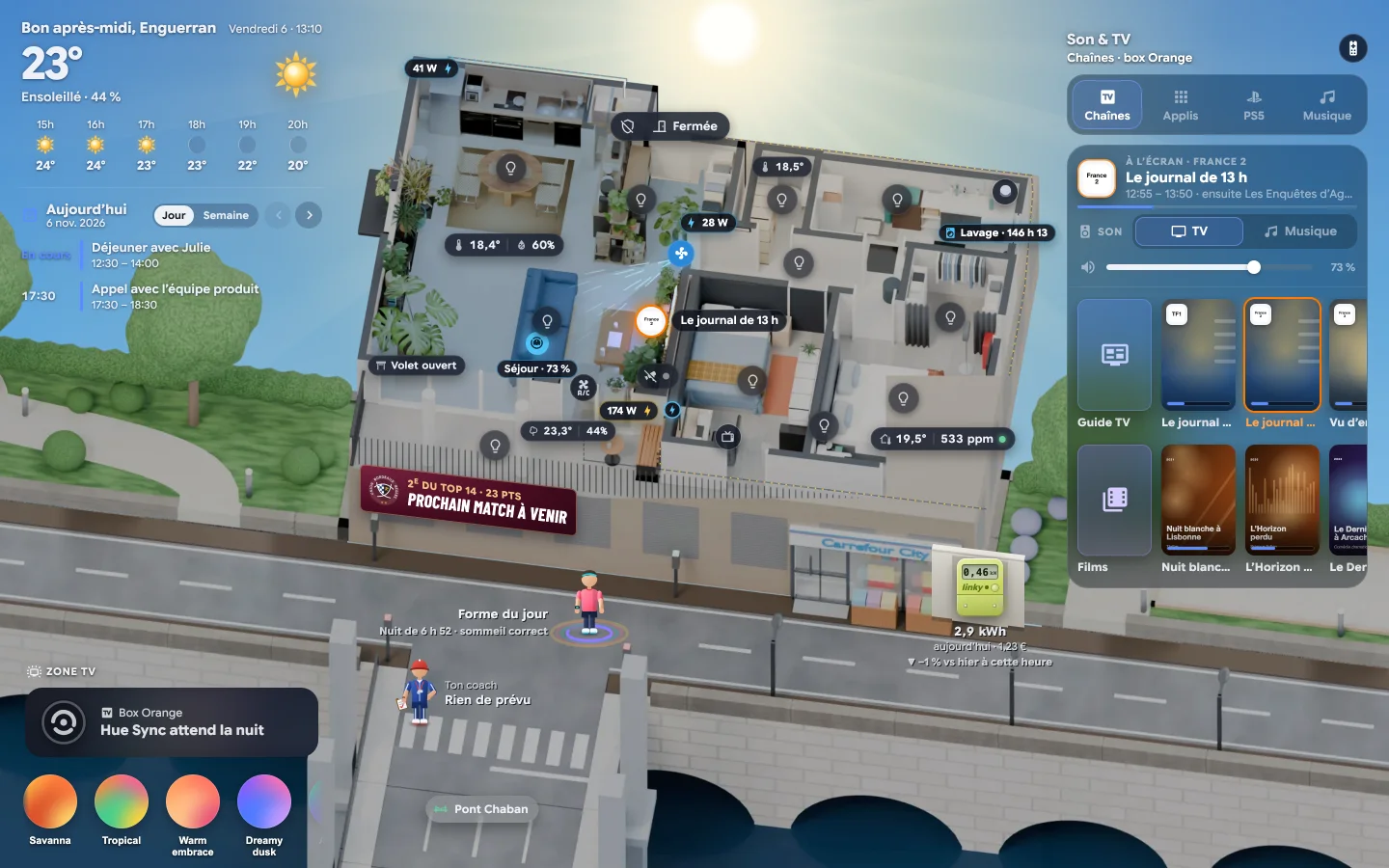
Since 2020 I have been building my own Home Assistant system, and living with it. It runs my apartment in Bordeaux. The whole home fits on one screen, and when something needs me, the house sends one message on Telegram, often written by Claude.
What it replaces
It started during the 2020 lockdown, when the apartment also became my office. Every device that came in had its own app and its own notifications: Hue for the lights, Meross, Tuya and Sonoff for the plugs, a Netatmo station, a Dyson, a robot vacuum, an LG TV, an Orange TV box, a PlayStation. None of them knew what the others were doing. Twenty-six apps in all, now replaced by a single system: 26 → 1.
The first version ran on a Raspberry Pi 3 with Home Assistant’s default dashboard. The current one runs on a Home Assistant Yellow, with a home screen I built as a custom module, and about forty flows that talk to me through the same Telegram bot.
I later worked on a problem of the same shape at Ogury, where four legacy advertising platforms had to become one product, Ogury One. Here the scale is an apartment, and I am the user every morning.
In: 74 integrations
- Light and power
- 47 lights on Hue and Zigbee, smart plugs, the Linky meter
- Presence
- Phone location, an Aqara FP2 radar sensor, the front-door contact
- Media
- LG TV, Orange TV box, PS5, Chromecast, Bluesound, Jellyfin
- Air and climate
- Netatmo, Dyson, Atmo France, Météo-France
- Appliances
- Dishwasher, washing machine, fridge, Dreame robot vacuum
- Outside
- Calendar, Waze, Chaban bridge lifts, TV listings, rugby results
- Body
- Garmin watch
Home Assistant Yellow
Claude Haiku 4.5 as conversation agent and for writing tasks. Whisper for local speech recognition.
Out
- The home screen, on the wall tablet, the Mac and the phone
- One Telegram bot for every message
- Voice commands through Assist
- A phone alarm, for emergencies only
- The food stock, shared with Mogette, my shopping app
One change, through the method
The “Tu es parti” (“You left”) message, which the house sends when I leave home, went through the four phases of my method. Claude and I did the work inside the instance; each phase now has its agents, named after the letters of my name.
| Phase | What happened | Agents |
|---|---|---|
| Frame | The journey of leaving home: lights or the TV still on, and maybe someone still at home. | User journey, User story |
| Explore | The first version turned everything off without asking. A house rule set it aside; I kept a message with one-tap answers. | Ideation, Prototype |
| Build | Claude wrote the automation inside the instance, through Home Assistant’s MCP server: two minutes after I leave, one Telegram message with three answers, sent by the script every message uses. | Components, Accessibility |
| Prove | The new version, delivered on 22 October 2026, asks first. I checked it on my way out: one tap, then the house confirms. | Iteration, Validate, Deliver |
Read before use
The house follows six rules. They are written into the automations, prompts and code themselves, in French. Here they are with a translation.
-
Ask before acting when someone might be home
FR
« Rien ne s’éteint sans confirmation (quelqu’un peut être resté). »
EN
Automation “Départ Maison – Proposer de tout éteindre”Nothing turns off without confirmation: someone might still be home.
-
Stay quiet unless it matters
FR
« La nuit le CO₂ monte en dormant : pas de message, mais un rappel à 7 h 45 si l’air est encore chargé. Au plus un message toutes les 6 h. »
EN
Automation “Air – aérer la chambre”At night CO₂ rises while you sleep, so there is no message, only a reminder at 7:45 if the air is still stale. At most one message every six hours.
-
Send every message the same way
FR
« Point d’envoi unique des notifications de la maison. « Urgent » ajoute une alerte sonore sur le téléphone, réservée aux vraies urgences. »
EN
Script “Notifier (Telegram)”The single sending point for every notification in the house. “Urgent” adds an alarm on the phone, reserved for real emergencies.
-
Say when data is missing
FR
« Données de la montre Garmin, seulement ce qui a vraiment été mesuré. Dis-le quand une donnée manque, sans l’inventer. »
EN
Instructions to Claude, “Telegram – discuter avec la maison”Watch data: only what was actually measured. When a value is missing, say so; never invent it.
-
Handle known requests locally
FR
« Phrases traitées localement (rapide, sans Claude). Les autres demandes vont à l’agent Claude. »
EN
Automation “Voix · Télé du salon”Known phrases are handled locally, fast and without Claude. Everything else goes to the Claude agent.
-
Never show a blank screen
FR
« Pas d’écran vide : un message s’affiche si le module tarde, et le journal de HA en garde la trace. »
EN
Code comment in the loader of the home screenNo blank screen: a message appears if the module is slow to load, and Home Assistant’s log keeps a trace.
Contents
The case study is split like the manual of an appliance: one chapter per part of the system.
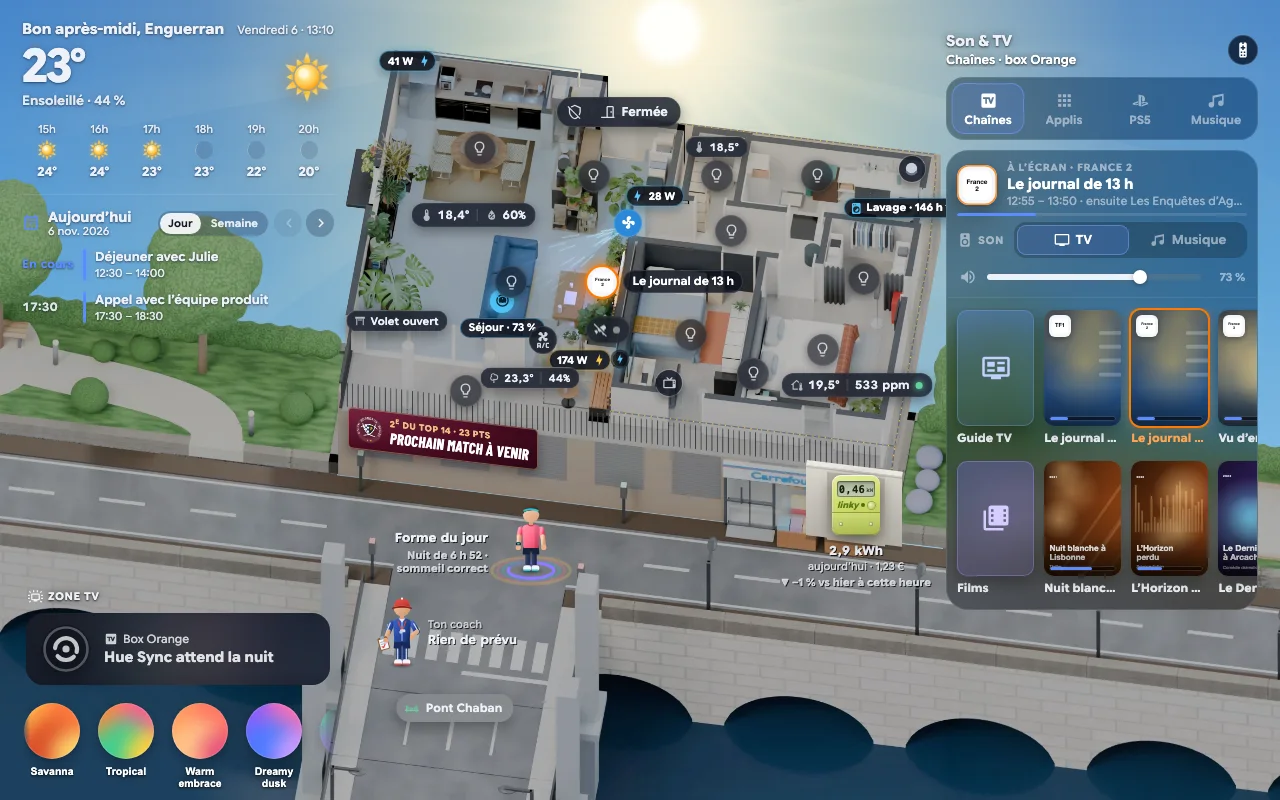
The home screen
Try the real interface. Seven kinds of weather, the light of the day, the panels behind each object, and the phone version.
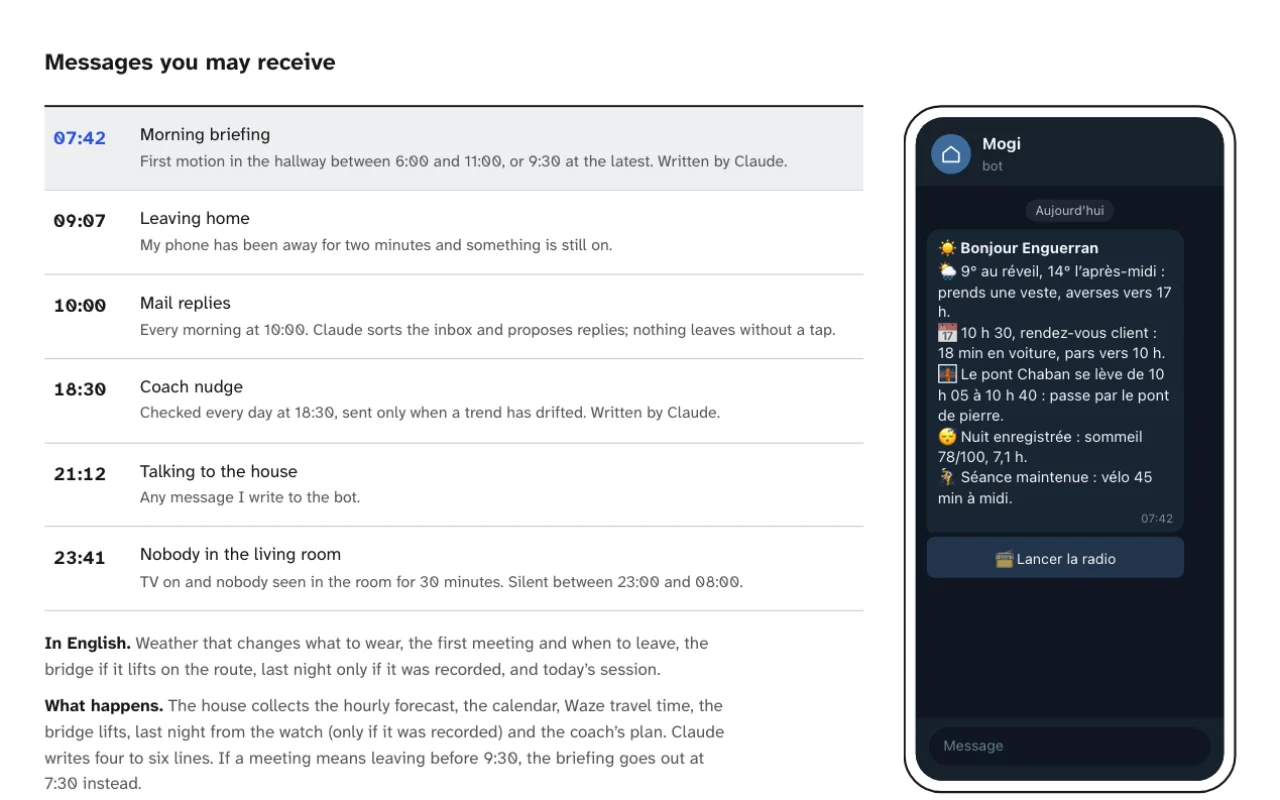
Messages
One Telegram bot for the whole house, the notification script behind it, and the limits given to Claude.
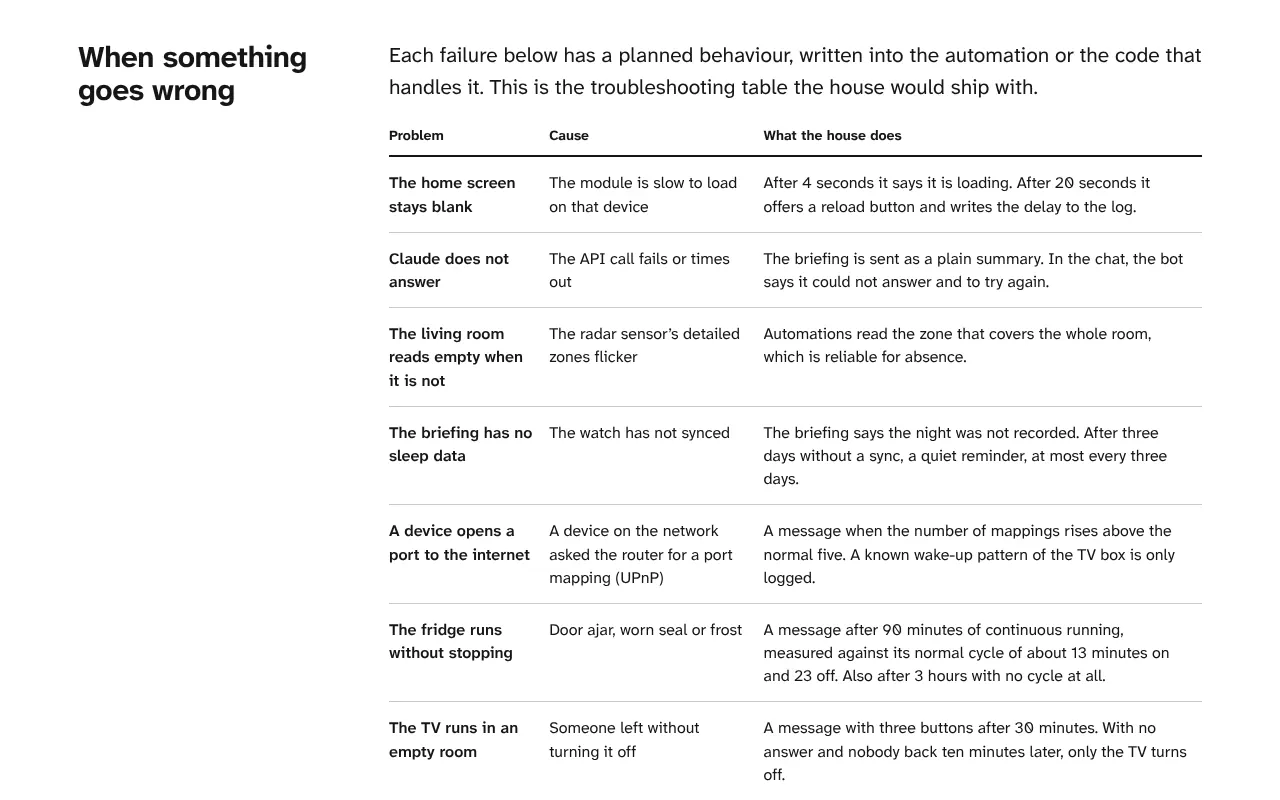
Running the house
What the house does when something fails, how changes are made and logged, and the full specifications.
Designer’s notes
Most of the design work in this system went into two questions. When should the house stay quiet, and when should it ask before acting?
A single notification script did more for consistency than any style rule I could have written, because the tone, the sound and the answer buttons of forty flows are set in one place. Claude made the messages easier to read once it worked under the same constraints as the rest of the system: a narrow scope, measured data only, a rate limit and a fallback.
I bring those two questions to any team that ships notifications or AI features, before the visual work starts.