Mogette · Chapter 3
In the shop
A list you read with one hand, the basket in the other.
On shopping day the app opens straight on the list. It follows the order of the aisles, says what each item is for, and keeps the screen on while it is open.


In the words of the shop
The list names what is on the shelf, not what the recipe says: “Soy sauce 250 ml”, with “you need 2 tablespoons” underneath.
Each item says which meals it is for and what will be left of the pack. Aisles follow the shop: fruit and vegetables, fresh, groceries, frozen. A product on offer must be the ingredient itself: pasta in a recipe no longer pulls “fruit pastes”, and fresh garlic no longer pulls “garlic semolina”.
“J’ai déjà” (I already have it) removes an item without ticking it. A ticked item stays in place until you leave the screen, so the list does not jump under your finger. The list works offline: the app installs on the phone’s home screen.
Bargains to freeze
When fresh meat or fish is at least 30 percent cheaper (on offer, against other chains or under its usual price), the app suggests taking more for the freezer.
The “+1 to freeze” button adds a pack, about 1.2 kg more, and the price per kilo is always shown. The evening before shopping day, at 6 pm, Home Assistant sends one notification per bargain to my phone, once. Ready meals, cured meats and frozen food are left out.
The same logic works for the cat: the app learns from my receipts how often I buy food and litter, and suggests them when it is time.
My usual buys, when they’re discounted
The app picks out from my receipts what I buy often, and remembers what I keep an eye on. When one of those products is discounted, it shows up under the list with its usual price: one tap adds it.

At the till
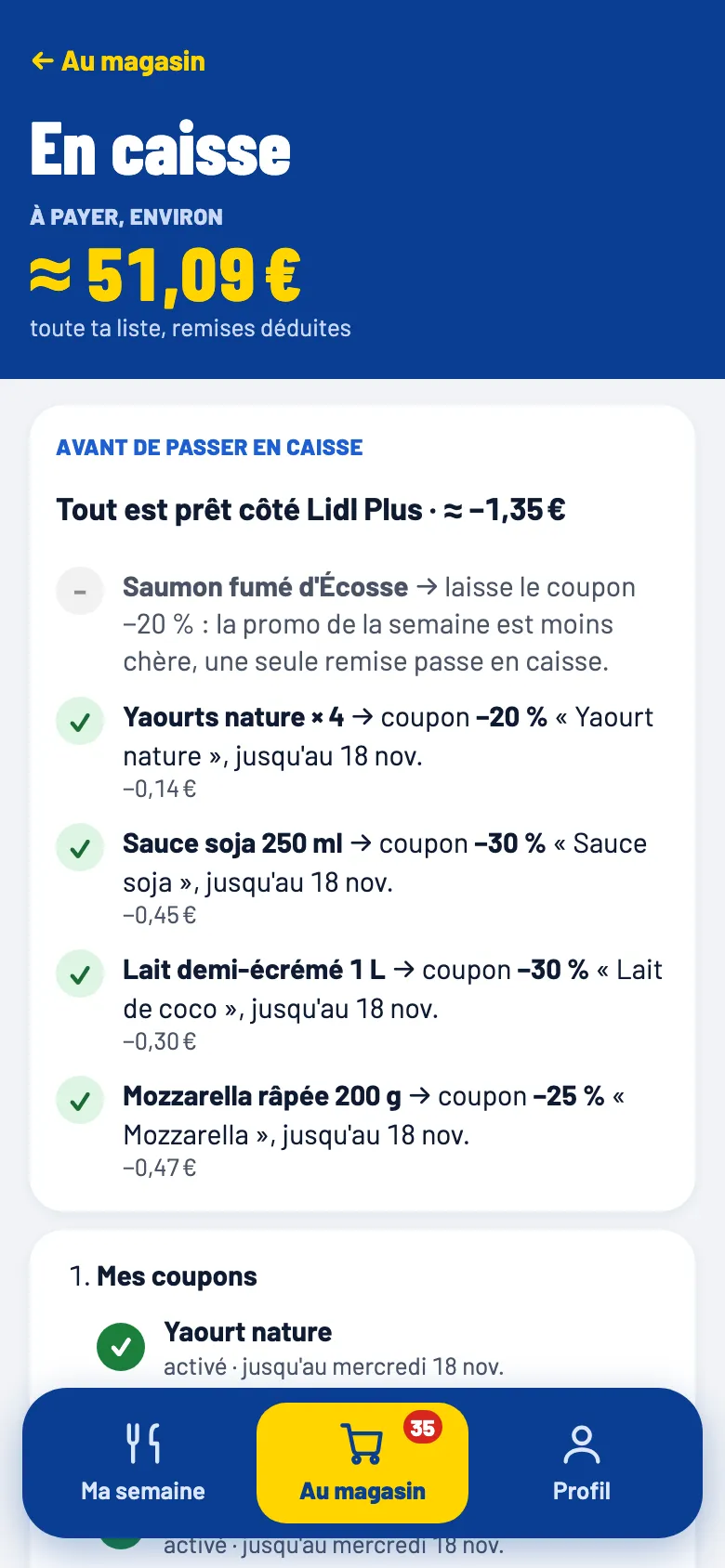
Before paying, one screen sums up what must be ready in the Lidl Plus app: which coupons are active, which to leave because the offer is better, which rewards to swap for points.
The amount to pay counts whole packs and discounts already taken off. It is kept, then compared with the real receipt when it arrives. The screen also shows my Lidl Plus card, so I do not switch apps in front of the cashier.
Once I have paid, “Paid: I’m done shopping” shows what I did not tick. I tick what I took anyway; the rest stays on the list. In the shop view, what I bought then folds away under “Already bought” and the total only counts what is left. A button undoes it if I was not done after all.